5Jul/100
Suppress AutoDiscover dialog in Outlook 2010
When Outlook loses connection, or when using Outlook Anywhere you’ll probably see the following dialog box:
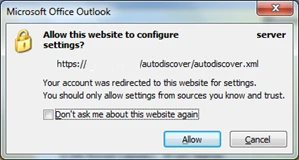
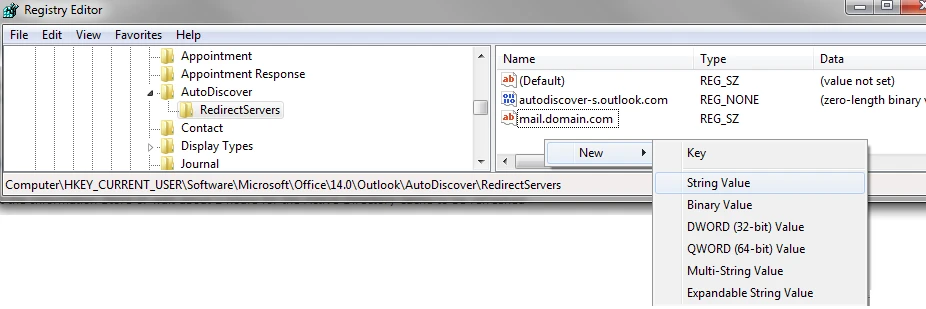
Of course you could select the “Don’t ask me about this website again” box, but that’s only a local override. What you can do, is suppress the window completely by making a registry edit. You’ll have to navigate to the HKEY_CURRENT_USER\Software\Microsoft\Office\14.0\Outlook\AutoDiscover\RedirectServers key and add your server names as REG_SZ (String Value) leaving the data field empty. You can add as many servers as needed.


Enjoy this article?
Consider subscribing to our rss feed!
Comments (0)
Trackbacks (0)
( subscribe to comments on this post )
No trackbacks yet.
September 17th, 2017 - 10:22
A more detail solution for the autodiscover dialogue in outlook is provided here:
https://www.adexchangeadmin.com/allow-this-website-to-configure-server-settings/