22Feb/130
Windows Update encountered an unknown error – 80243004
This error just showed itself on my Windows 2008 R2 SP1 server and it stopped me from installing any updates. The fix for this error is undoubtedly the strangest I ever came across. Pete Long described this fix on his website.
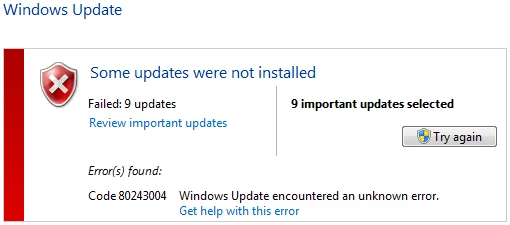
Strangely enough this error seems to be caused by the taskbar that is not showing all icons. Here are the steps:
- Right-click the taskbar and select properties
- In the Taskbar tab click Customize…
- Check “Always show all icons and notifications on the taskbar”
- Confirm all screens with OK
Now try installing the updates again and see that it’ll work.


Enjoy this article?
Consider subscribing to our rss feed!
Comments (0)
Trackbacks (0)
( subscribe to comments on this post )
No trackbacks yet.
Leave a comment