24Nov/100
You must use the Role Management Tool to install or configure Microsoft .NET Framework 3.5
While trying to install software for our security cameras I needed to install Microsoft .NET Framework 3.5. When trying to install the .NET Framework it presented me with an error stating that I should install it through the Role Management Tool.
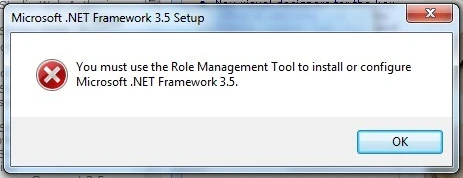
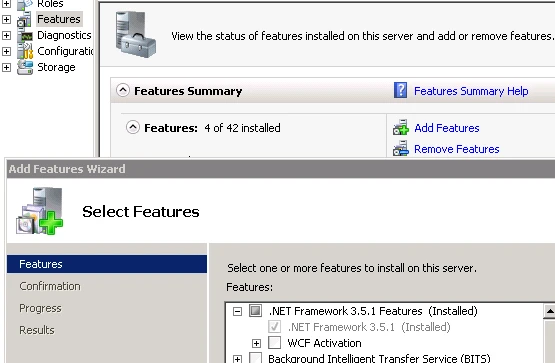
As Windows Server 2008 R2 has .NET Framework 3.5.1 you’re not able to install version 3.5. However, the description is a bit misleading because it’s talking about roles, while in fact it’s a feature that needs to be installed.
You can install the feature by clicking on the Add Features link in the Server Manager and selecting


Enjoy this article?
Consider subscribing to our rss feed!
Comments (0)
Trackbacks (0)
( subscribe to comments on this post )
No trackbacks yet.
Leave a comment