Menus drop to the left
One of the weirdest issues I’ve come across in a while was that the menus were appearing on the wrong side as shown in the images below.
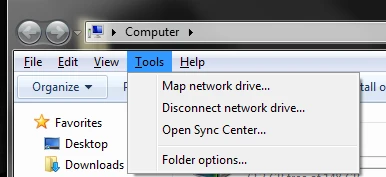
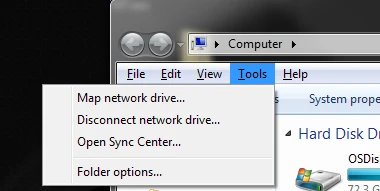
After some googling I found out that this had to do with the Tablet PC Settings being set to right-handed use. This seems to be the most logical setting for a right-handed person, but since I’m not using a touchscreen it only causes the menus to appear on the wrong (different) side. Therefore it’s smarter to set the handedness to left-handed. This will not change any other settings on the system.
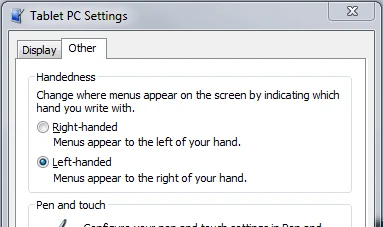
Accessing the Tablet PC Settings is another story as this options is not shown on the control panel of a non-tablet PC. Ronnie Vernon on the Microsoft Answers forum had a really elegant solution to this problem.
Press the Windows logo key+R to bring up the Run dialog box. In the Open line, copy/paste the following text.shell:::{80F3F1D5-FECA-45F3-BC32-752C152E456E}
Press OK
Thanks Ronnie!


Enjoy this article?
Consider subscribing to our rss feed!
No trackbacks yet.
Leave a comment