10May/110
Can’t edit all code on a SharePoint 2010 page with SharePoint Designer 2010
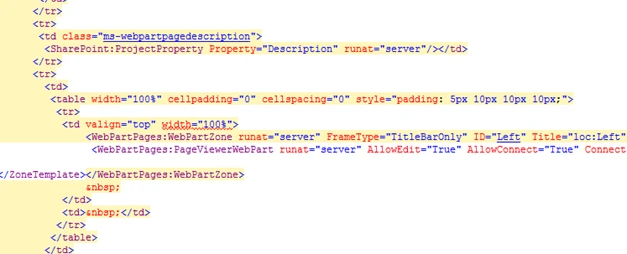
One of the most basic things you would want to do with SharePoint Designer 2010 is editing the layout of the page. This seems easy enough, but when SharePoint Designer 2010 blocks access to the yellowish parts of the code it becomes quite impossible.
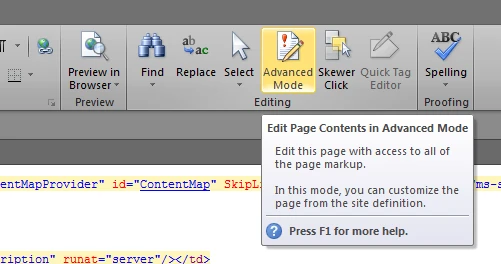
To gain access to all of the page’s code you’ll have to enable the advanced mode. The button can be found in the ribbon when editing a page.


Enjoy this article?
Consider subscribing to our rss feed!
Comments (0)
Trackbacks (0)
( subscribe to comments on this post )
No trackbacks yet.
Leave a comment